Run  Qwen
Qwen
on your own machine
Swap api.openai.com for localhost.
One command. Your hardware, your data, no bill per token.
$ curl -fsSL https://github.com/Ga0512/SursumAI/raw/v1.0.18/install.sh | bash
Your code does not change
It speaks the OpenAI API. Point it at your own machine and carry on.
client = OpenAI(
    base_url="https://api.openai.com/v1",
    api_key="sk-proj-...",
)

client.chat.completions.create(
    model="gpt-4o-mini",
    messages=[...],
)client = OpenAI(
base_url="http://localhost:8001/v1",
api_key="sk-sursum-...",
)
client.chat.completions.create(
model="Qwen/Qwen3-8B-GGUF",
messages=[...],
)Streaming, JSON schema, vision, tools — the same fields you already send. See the API docs →
Nothing you send leaves your machines. Swap the GPU, add another one, and the URL your code calls stays the same.
Deploy without knowing any of it
Pick a model, press Deploy. The GPU, the runtime, the port and the keys are decided for you — the decisions you would otherwise take alone, at 2am.
Quick start →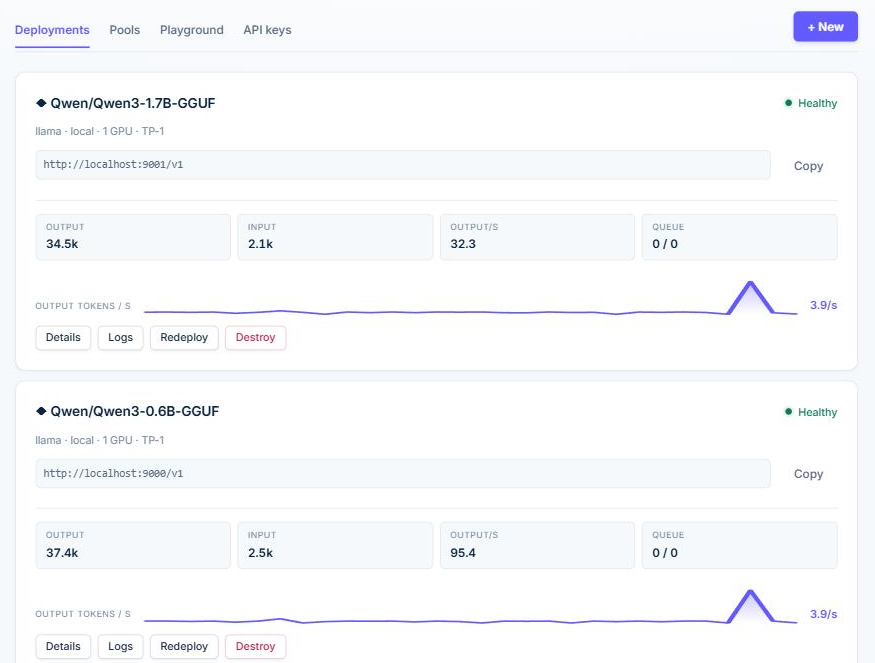
Watch it like a service, not a script
Tokens per second, memory, logs. When something dies, the card says what happened in one sentence and what to press.
When something breaks →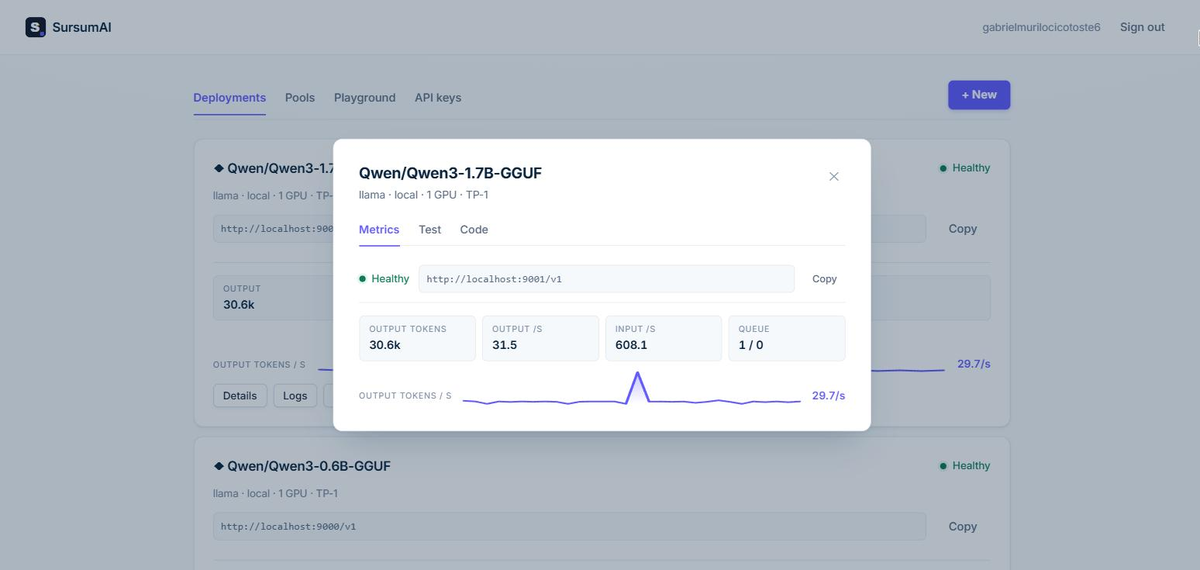
Try it before your code does
A playground on the real endpoint, images included. The reasoning folds away; the answer does not.
Reasoning models →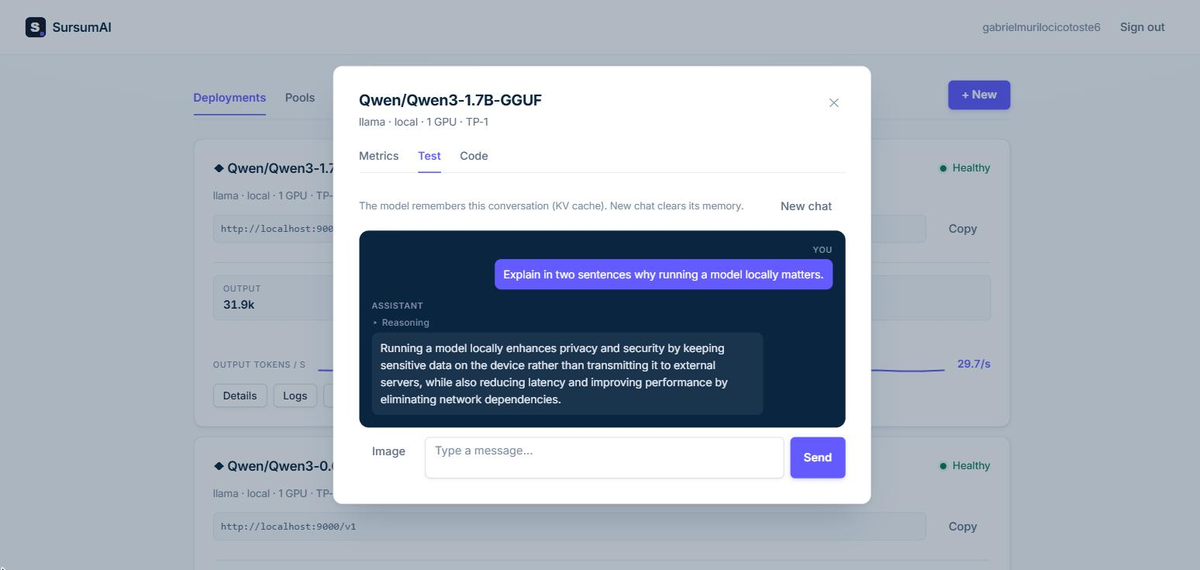
Copy the snippet, not the concept
Python, JavaScript and curl, already filled in with your URL and your key.
API docs →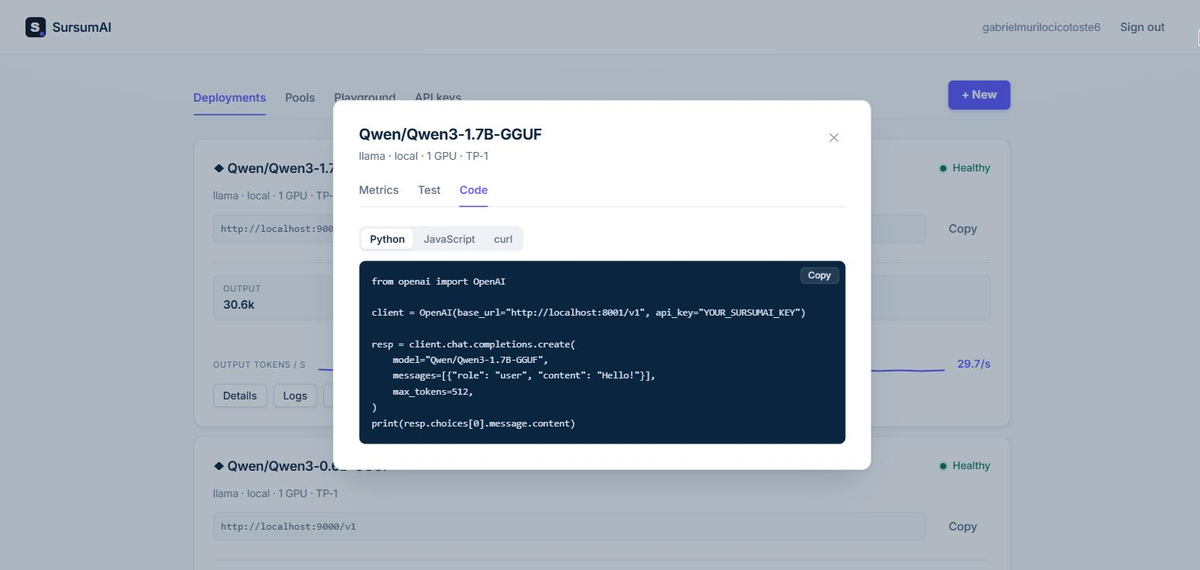
Too big for this machine?
Paste the SSH line of any server and it installs itself there, behind a private tunnel. Same dashboard, same key, same URL — your code never learns the model moved.
How machines work →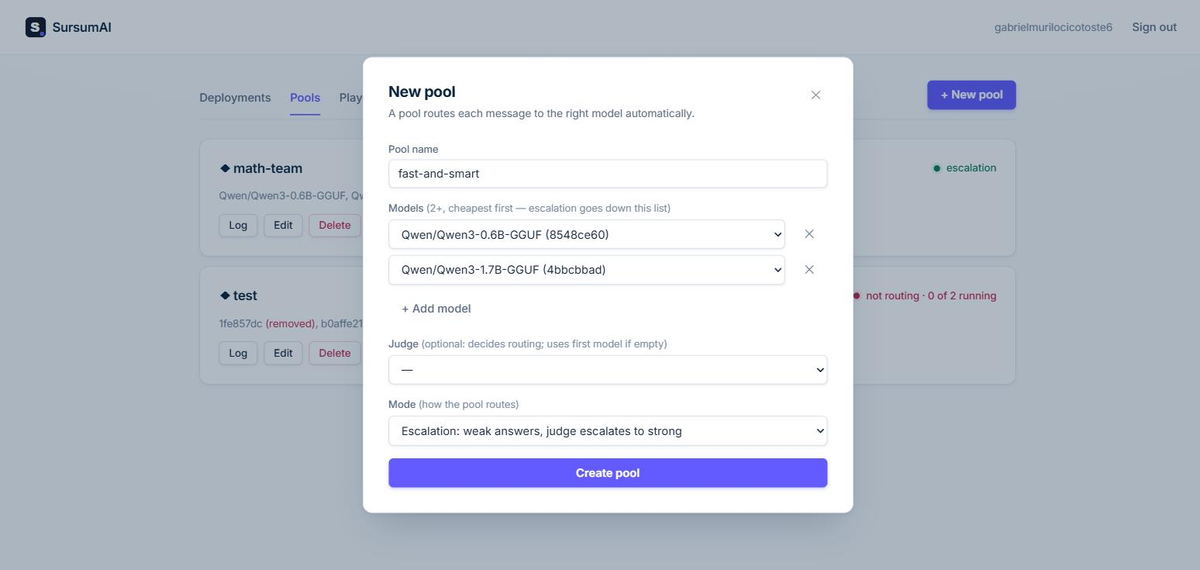
Numbers, and where they came from
No vendor slides. Two we kept coming back to:
Measured while building this, on rented GPUs. The cards, the settings and the arithmetic that predicts them are in the docs — and the router benchmark, 100 GSM8K problems with every answer checked, is in the repository.
The hard way vs. this
Renting an API
- Pay per token, forever
- Your prompts leave the building
- Prices and models change under you
Doing it yourself
- A day of Docker, CUDA and VRAM maths
- Out of memory at 2am
- One model, one machine, no API
SursumAI
- One command
- An OpenAI URL and a key
- Nothing leaves your machine
- Too big for it? Rent a GPU — same URL
Ollama runs one model. LiteLLM routes you to someone else’s. This is the provider, and it is yours.
Pricing
Everything on your own machine is free, forever. Pro is a subscription for running models on the servers you already have.
Free
- Unlimited models on your machine
- Router, pools and playground
- OpenAI-compatible API with account keys
- GPU detected and used automatically
- Open source (MIT)
- Community support on GitHub
Pro Beta
- Everything in Free
- Deploy to your own servers over SSH — unlimited machines
- Same install, unlocked by a token — nothing to reinstall
- One dashboard and one API for the models on all of them
- Nothing exposed on those machines: a private SSH tunnel
- Email support
- Cancel anytime — Pro keeps working until the end of what you paid
No per-user or per-token pricing: your models run on your hardware, and your prompts never pass through us.
Questions people ask first
- Does my data really stay here?
- Yes. The models run on hardware you control and the prompts never reach us. The only thing our servers know is whether an account subscribes — the free edition does not talk to us at all.
- What do I need to run it?
- Any Linux, macOS or Windows with WSL. An NVIDIA GPU makes it fast; without one it still runs on the CPU, slower. The installer brings everything else.
- Is it really open source?
- MIT, the whole app. Pro is a subscription that unlocks running models on your other servers over SSH; everything else is free forever and always will be.
- What happens if you disappear?
- Nothing stops. The app is on your machine and the code is on GitHub. Even Pro keeps working for 30 days offline, because the answer about your account is signed and dated.
Install in one command
Runs on Linux, macOS and WSL (Windows — open Ubuntu, not PowerShell). No Docker, Python or GPU knowledge needed. The same command installs Free and Pro.
$ curl -fsSL https://github.com/Ga0512/SursumAI/raw/v1.0.18/install.sh | bash
Read the docs · Run sursumai and it opens http://localhost:3000 — create your account there and deploy your first model. sursumai update upgrades it, sursumai uninstall removes it.
Your models. Your machine. Your URL.
Deploy your first self-hosted model in one command.
Install free